
SaveTube Online Converter for Downloading Videos and Music
What is SaveTube anyway
Well, basically, it's a clone of all the other "converter-downloaders". Paste the link → get MP3 or MP4. That's it.
Works fast. Sometimes even too fast, it feels like the owner/owners have a whole server farm somewhere in Asia :)
How it works (and what's under the hood)?
You think you just click and magic happens. In reality, the service sends your request to third-party APIs (or their own proxies),parses the stream and cuts the audio/video.
Sounds nice, but if there are problems with private content, they'll shut down the shop in a second. Below is a step-by-step guide on how it works:
- Copy the link to the video or clip you're interested in.
- Go to the savetube website.
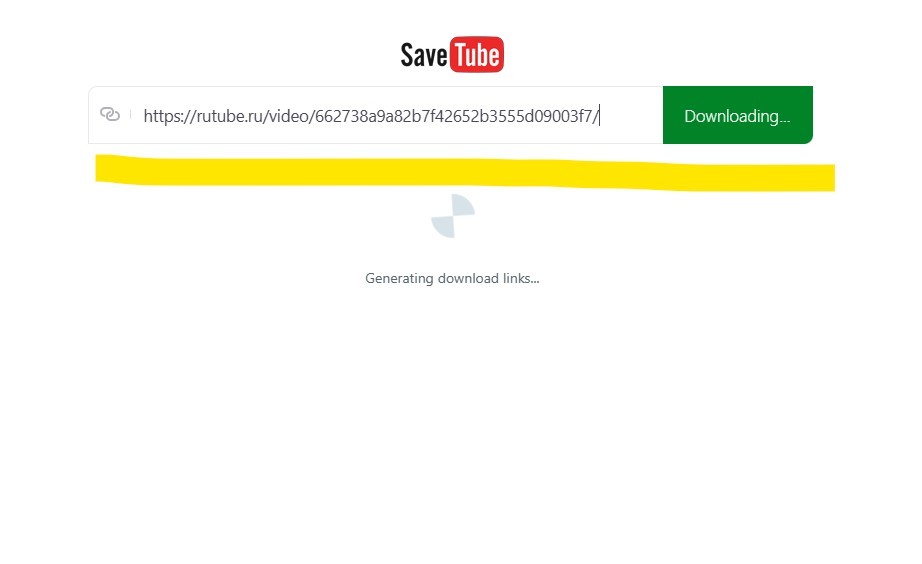
- Paste the link into the search field on the page.
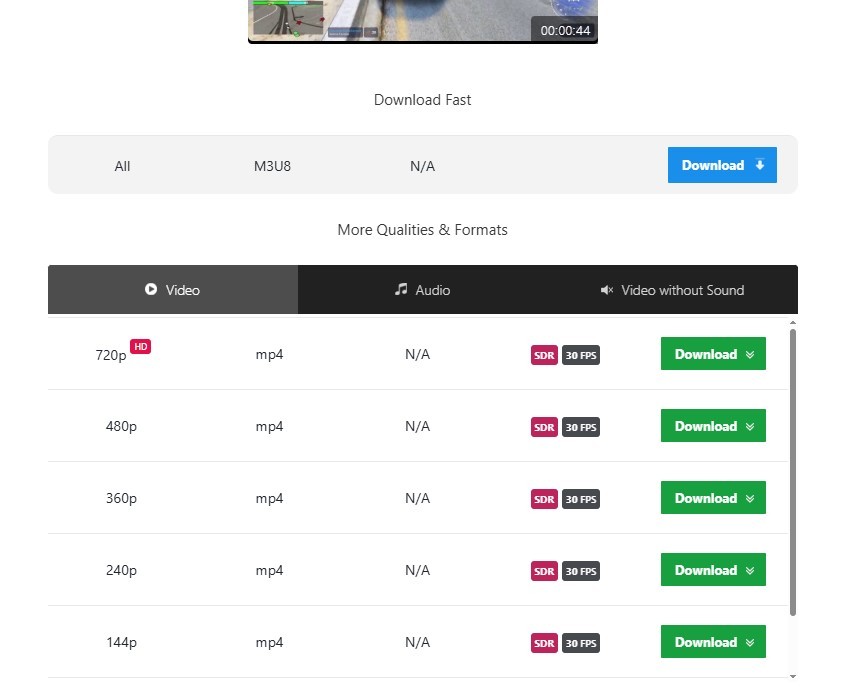
- Choose the format: MP3 (audio) or MP4 (video).
- Specify the desired quality (if available).
- Click the "Download" button, the file will start preparing, then a download link will appear.
- Done. Works right in the browser.
Risks and limitations (important!)
Here's where the most interesting part begins. You might accidentally download content that doesn't actually belong to you. That is, music, clips, podcasts, everything is protected by copyright.
For example, YouTube in its terms (ToS) clearly states no!!! downloads without permission, except through YouTube Premium.
But SaveTube, to put it mildly, doesn't ask.
What could happen:
- The site gets deleted.
- They might slip in fake ads/trackers.
- You have no guarantees on file safety.
- Possibly a built-in virus in the downloaded file (there were comments in Reddit threads).
Pros and cons
To make the picture honest, I gathered everything into two columns.
Pros
- Free.
- Fast (really).
- There is a choice of format (MP3, MP4, different quality).
Cons
- Ads (where without them).
- Sometimes can't handle long videos.
- No guarantees that the site won't be closed tomorrow (for example, it was savetube.me before, now savetube.io -> save.tube).
Legal side
In short, the situation is if you start massively using such services for "piracy" you risk getting hit on the head.
And there's another point if you upload the downloaded stuff back somewhere (TikTok, Insta, your site) strikes and blocks will fly in immediately.
What to consider:
- Download only content that you have rights or permission to.
- For commercial projects, use official libraries and licensed tracks.
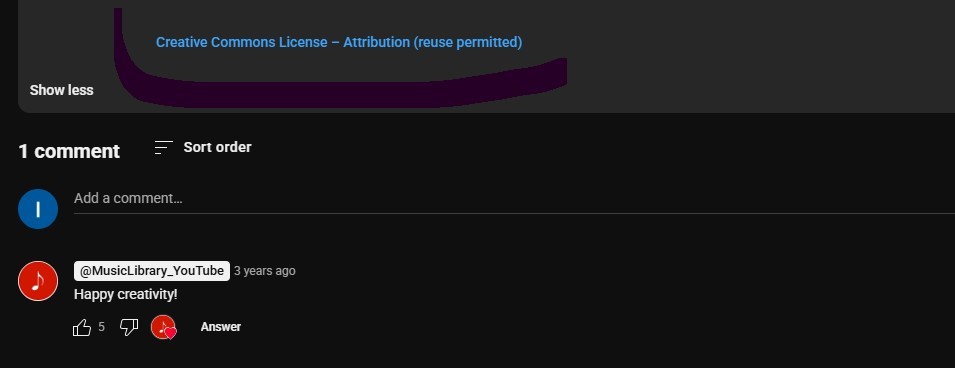
- Look for content with open licenses (for example, Creative Commons) if you plan to reuse materials.
What to replace it with (again, taking YouTube as an example):
- YouTube Premium (legal offline access there).
- YouTube Music (download tracks right in the app).
- YouTube Studio (for your videos - download even in 4K, no one will say a word).
Comparison with alternatives
I tested different services here list of popular converters in 2026. Here's what's really better for different tasks.
| Service | What it downloads | Pros | Cons | Notes |
|---|---|---|---|---|
| YMP3 | MP3, MP4 | Simple interface, minimalism | Length limit (usually up to 90 min),ads | Old-timer among converters, works stably |
| Y2DOWN | MP3, MP4 (different quality) | Loads videos fast, up to 1080p | Sometimes crashes on long videos, lots of pop-ups | Bets on speed, but interface is noisy |
| NOTUBE | MP3, MP4, sometimes other formats | Nice design, no extra clutter | May not work in some countries | They like to "disguise" themselves, often change domains |
| YTMP3 | Only MP3 and MP4 | Maximally simple (two buttons - and that's it) | Limited functionality, aggressive ads | The most "minimalistic" option, suitable for one-time downloads |
| Y2MATE | MP3, MP4, WEBM, different qualities | Supports playlists, lots of options | Lots of banners and suspicious scripts | One of the most popular, but often gets blocked |
SaveTube works sometimes. Convenient. But. You must understand that this is a gray area. Today the site is available tomorrow no. Want to quickly download a clip ok. But as a permanent solution look for yourself.
I use sidify, process with AudioCleaner, and keep savetube as a backup option.
Useful links
- YouTube Help Copyright basics rules.
- YouTube Studio legal way to manage your videos and download previews.
- YouTube Premium offline access option without violating rules.
- Creative Commons licenses that allow reuse.
- Free Music Archive free music for projects.
- Pixabay Music music without copyright restrictions.